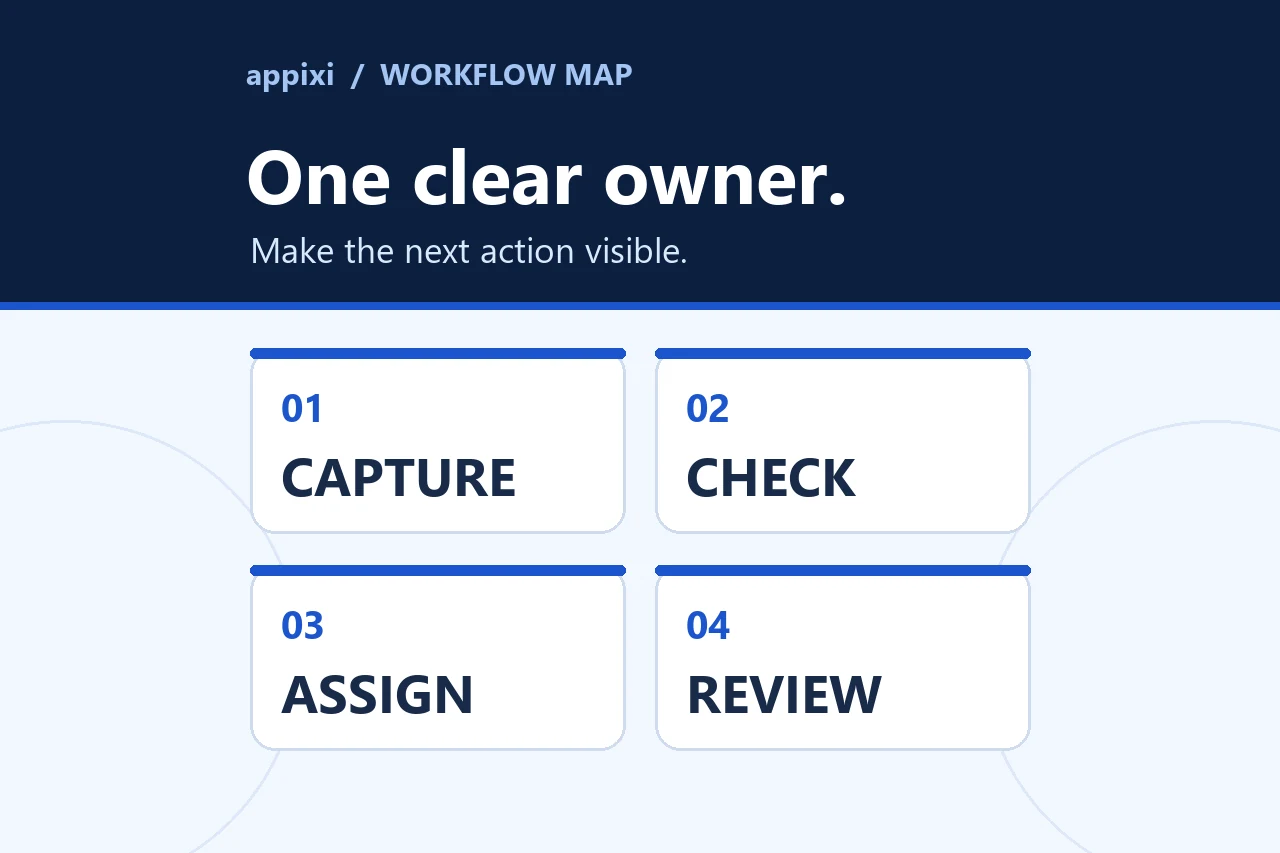
Use this workflow to choose the right page, answer the search, improve every visible element, and measure whether the page becomes more useful.
What on-page SEO needs to accomplish
On-page SEO improves an individual page so people can find it, understand it, trust it, and take a useful next step. The work includes the page's search intent, title, main heading, copy, links, images, metadata, structured data, and conversion path. Technical access also matters because a page cannot perform if search systems cannot crawl or index it.
The sequence matters. Editing title tags before deciding which page should own a search can make two pages compete more directly. Adding more copy before identifying the reader's decision can produce a longer page that still misses the question. Schema can describe content, but it cannot supply facts that the page does not contain.
This guide gives one workflow for a new page or an existing page that needs improvement. It applies to service pages, product pages, location pages, articles, and other indexable content. The exact sections will change with the page type.
1. Define the page's job
Write down five decisions before changing the page:
- Reader: Who is searching, and what do they already know?
- Situation: What caused the search now?
- Primary question: What does the reader need answered on this page?
- Decision: What should the reader be able to decide after reading?
- Next step: Which action or related page follows naturally?
A service page might help a business owner decide whether a particular service fits the problem. An article might help that person diagnose the problem or prepare for a project. A location page needs useful information about a real location or service area. Giving each page one primary job prevents several URLs from offering slightly different versions of the same answer.
On-Page SEO at Appixi follows this model: confirm the search and customer question, choose the page that should own it, improve the page, then review search response and visitor action.
2. Choose the page that should own the search
Check the site before creating a new URL. Search the current content inventory, site navigation, sitemap, and Search Console data for pages that already address the subject. Look at which URLs receive impressions for the target query and its close variants.
Choose among four actions:
- Keep and improve: One relevant page already has visibility and matches the intended purpose.
- Reposition: The page is useful, but its title, opening, scope, or internal links point toward the wrong question.
- Consolidate: Two or more pages have substantial overlap. Combine the useful material, redirect retired URLs, and update internal links.
- Create: No current page can answer the question without changing its established purpose.
This is also where commercial and informational intent need separation. A person searching for an on-page SEO service is evaluating help. A person searching how to do on-page SEO expects instructions. The service page and this guide support each other, but they have different jobs.
Record the preferred URL and canonical URL at this stage. Use a short, descriptive slug that can survive minor wording changes. A date, adjective, or keyword variation does not deserve a separate URL by itself.
3. Use search results as demand evidence
Current search results reveal how a search engine interprets a query and what users may need. Review them in a clean browser session and note:
- Whether the results are guides, service pages, product pages, videos, tools, forums, or a mixture.
- The apparent experience level, such as beginner, practitioner, or buyer.
- Recurring questions in People Also Ask and related searches.
- Comparisons, constraints, definitions, and examples that appear across strong results.
- Gaps where the existing results stay generic, lack evidence, or fail to help with the next decision.
- Whether images, video, local results, products, or an AI response are prominent.
A recent Ahrefs discussion of SEO in 2025 recommends starting with the searcher's situation and preferred format. A second Ahrefs video on current SEO tactics uses People Also Ask, related searches, and AI Overviews as clues to the questions around a topic. These are useful research heuristics. They do not prove that copying every visible subtopic will earn the same ranking.
Do not turn the leading results into a template. Search results can show the minimum context users expect. The page still needs a reason to exist. That reason may be a better process, clearer examples, original data, firsthand evidence, a useful tool, or a more appropriate next step for the intended audience.
4. Build an intent brief before writing
Turn the research into a compact page brief. It should contain:
- One primary answer or proposition for the opening.
- The questions required to support that answer.
- The facts, examples, screenshots, data, or professional judgment available.
- The claims that need an authoritative source.
- The related pages a reader may need before or after this page.
- The action that fits the searcher's stage.
- The facts or recommendations that will need a future review.
Order the questions by the reader's decision, not by keyword volume. A buyer usually needs to understand fit, scope, tradeoffs, evidence, process, cost factors, and next steps in a logical sequence. A how-to reader needs prerequisites, steps, examples, validation, and common failure points.
Google says its AI features may use query fan-out, issuing related searches across subtopics and sources. That makes adjacent questions useful during research. It does not justify a separate page for every wording. Google's current generative AI optimization guide warns against scaled pages made to target fan-out variations and recommends unique, non-commodity content.
5. Add information that is expensive to imitate
A page built from summaries of other pages gives readers little reason to choose the source. Identify material that comes from the business, subject expert, product, process, or original analysis.
Useful forms include:
- A real decision framework with the conditions that change the recommendation.
- Original measurements with a stated method, date, and sample limit.
- Screenshots or photographs that show the work being explained.
- A worked example with inputs, decisions, and a checkable output.
- A template, calculator, checklist, or small tool that completes part of the task.
- A bounded professional opinion that explains uncertainty and tradeoffs.
Front-load the most useful original material when it helps the reader. The current Ahrefs tactics video describes this as placing reference-worthy points where writers and researchers can find them quickly, then turning suitable data into clear visuals. Treat that as a content and outreach heuristic. It does not guarantee links.
Never create a statistic to make a page look original. If the business has no defensible data, a transparent worksheet or detailed example is more useful than a fabricated benchmark.
6. Make the title, H1, opening, and description agree
These elements should make one accurate promise from different positions:
- The title element helps a searcher decide whether to open the result.
- The H1 identifies the page inside the site.
- The opening confirms that the page will answer the expected question.
- The meta description summarizes the useful content and context.
Google's title link guidance recommends a unique, descriptive, concise title and warns against keyword stuffing and repeated boilerplate. Google can generate a different title link from the H1, prominent text, anchor text, and other sources. A clear relationship among the title, H1, and visible page content reduces ambiguity.
There is no universal character count that guarantees a title or description will display in full. Search results adapt to the query and device. Put the page's distinct subject early, remove empty branding language, and read the result as a person deciding among several options.
Google may create the result snippet from the page's visible text or use the meta description when it provides a better summary. Its meta description guidance recommends a unique, page-specific description with relevant details. Do not use a string of keywords or the same description across a whole section.
For this article, the elements work together as follows:
- Title and H1: How to do on-page SEO: a modern workflow
- Opening answer: On-page SEO improves a page so people can find it, understand it, trust it, and take a useful next step.
- Description: The workflow names the major decisions covered, including intent, copy, links, images, schema, AI search, conversion, and measurement.
7. Write headings around the reader's decisions
Headings should let someone scan the page and understand the sequence. Use one visible H1, then H2 sections for the main decisions and H3 or H4 headings only when a section needs real subdivisions.
Semantic heading order is important for accessibility and document structure. Google also notes that there is no ideal number of headings. Adding many headings to place keyword variations creates noise.
Each heading should introduce the content that immediately follows it. Answer a direct question in the first sentence when a concise answer is possible, then add context, evidence, examples, and exceptions. This structure makes dense material easier for people to use and gives search systems clear textual context without resorting to artificial sentence patterns.
FAQ sections are useful when customers repeatedly ask the questions and the answers do not fit better in the main sequence. An FAQ is not a place to repeat headings with slight keyword changes.
8. Improve the copy one decision at a time
Review each section for a specific job. It should add a fact, instruction, example, comparison, exception, or consequence. Cut introductory filler and paragraphs that restate the heading.
Check the following:
- Does the page use the reader's vocabulary while preserving accurate technical terms?
- Are claims supported by first-party evidence or a named source?
- Are facts separated from recommendations and practitioner observations?
- Does the copy explain constraints that could change the answer?
- Can a reader follow the process without buying a tool or service that was not mentioned at the start?
- Does every example clarify a decision, or is it present only to add length?
Google's people-first content guidance asks publishers to make the author, creation process, and purpose understandable. Use an accurate byline and author page where readers expect one. For research, explain the sample and method. For reviews, explain what was tested. If AI assisted the work, keep a person responsible for the brief, facts, sources, judgment, and final edit.
AI tools can help cluster questions, compare drafts with a brief, find repeated passages, and format structured information. They should not invent experience, citations, results, or a point of view. The Ahrefs 2025 learning video makes the same practical distinction: the operator supplies the research and judgment, while the tool assists with execution.
9. Treat images as content and page weight
Use an image when it explains, demonstrates, compares, or supplies useful context. Place it near the text it supports. Google's image SEO guidance recommends standard HTML image elements, a real src fallback for responsive images, relevant surrounding text, and descriptive alternative text.
For each image:
- Choose a crop for the actual rendered slot.
- Resize it before compression instead of sending an oversized source.
- Supply responsive candidates only for widths the layout can use.
- Use a descriptive filename and the correct file extension.
- Write literal alt text that communicates the visible image in context.
- Declare width and height to reduce layout movement.
- Load the likely opening image with appropriate priority and lazy-load below-fold images when suitable.
- Check the crop, detail, and any embedded text on small screens.
Alt text serves people who cannot see the image and helps search systems understand its context. It is not a keyword field. Avoid adding a target phrase when it does not describe the visible image.
Original charts, diagrams, screenshots, and tools can make a page easier to reference. Include a source, date, units, and methodological limit when the visual represents data.
10. Build internal links that explain the site
Internal links help people and crawlers discover related pages and understand how subjects connect. Google's link guidance recommends crawlable links with descriptive anchor text and useful surrounding context.
Review links in both directions:
- Link from the article or supporting page to the appropriate service, product, location, evidence, or next guide.
- Add a relevant link from an established page to the new or improved page.
- Replace links that pass through redirects.
- Find important pages that have no meaningful inbound path.
- Remove links added only to hit a quota.
Anchor text should describe what the reader will get. “Review the technical SEO requirements” is clearer than “click here.” Vary anchor text when the surrounding sentence calls for a different description, not to manufacture a pattern.
External links can support definitions, policies, research, and changing technical claims. Link to the strongest available source. A citation should support the sentence beside it.
11. Add structured data only when it matches the page
Structured data gives explicit information about a page and can make a page eligible for supported search features. Use a type that fits the visible content, such as Article, Product, Service, BreadcrumbList, or an appropriate local business type.
Google's structured data documentation requires the markup to describe the page it appears on and warns against marking up information that users cannot see. Fewer complete and accurate properties are preferable to a large inaccurate object. Validate the result with the Rich Results Test and check it again after deployment.
Structured data does not create expertise, guarantee a rich result, or repair weak content. FAQ markup should mirror visible questions and answers exactly where that markup is supported. Organization and local business facts must stay consistent with the information people can verify on the site.
12. Prepare the page for AI-assisted search without hacks
Google states that AI Overviews and AI Mode use the same foundational SEO practices as standard Search. A page must be indexed and eligible to appear with a snippet. Google requires no special AI schema, AI text file, or content rewrite for eligibility. The AI features documentation specifically calls out crawl access, internal links, page experience, important content in text, useful images or video, and structured data that matches visible content.
Apply that guidance in practical ways:
- Put important facts in crawlable text instead of hiding them inside an image or client-only interface.
- Use precise names for the business, product, service, people, places, and dates involved.
- Cite primary sources for claims that can change or affect a decision.
- Answer related questions on the same page when they belong to the same reader task.
- Connect the page to supporting evidence and the next stage of the customer journey.
- Keep important business facts consistent across the site and verified external profiles.
In a recent Aleyda Solis interview about search and AI, useful practitioner themes include covering the full customer journey, keeping content aligned with what the brand can support, making important content and links available without excessive client-side rendering, and testing carefully because AI visibility measurements remain incomplete. These are sensible operating principles. They are not proof of a universal AI citation formula.
Avoid “chunking” copy into awkward fragments, generating a page for every possible prompt, manufacturing third-party mentions, or claiming that an llms.txt file controls Google visibility. A concise AI-readable site map may help other tools or readers orient themselves, but Google says it is not required for its AI search features.
13. Continue the searcher's task after the answer
Traffic is useful only when the page helps the visitor continue. Choose a next step that fits the page's intent.
An informational article can link to a worksheet, a related decision guide, or the relevant service. A commercial page can offer a conversation, quote, trial, purchase, or booking when those actions are available. A comparison page can help the reader narrow options before presenting a sales action.
The call to action should preserve context. If a person has read a guide about on-page SEO, the destination should acknowledge the page, question, or service that prompted the visit. Avoid sending every page to the same generic form without carrying that context.
Measure the full path. A higher click-through rate with fewer qualified actions may indicate that the result promises more than the page delivers. A page with modest traffic can still matter when it supports a valuable service and attracts the right reader.
14. Complete the technical checks around the page
Some checks sit at the boundary between on-page and Technical SEO, but they determine whether the work can be discovered:
- The preferred URL returns the intended success status.
- Crawling is allowed where required.
- The page is indexable and uses the correct canonical URL.
- Important text and links are present in the rendered HTML.
- The page has a meaningful inbound link and appears in the appropriate sitemap.
- Mobile content and actions are complete and usable.
- Images, scripts, styles, and responsive candidates resolve successfully.
- The layout has no horizontal overflow or intrusive obstruction.
- Real-user performance problems are reviewed through Core Web Vitals and page experience data.
Do not change a stable published URL merely to insert a better keyword. The possible cost of redirects, broken links, lost history, and inconsistent references usually exceeds the value of a cosmetic slug change.
15. Measure the page and plan the next review
Capture a baseline before release. For the page and its intended query group, record Search Console impressions, clicks, click-through rate, average position, and the date range. Record relevant website actions, such as form completions, calls, purchases, bookings, or visits to the next decision page. Search Console reports organic search data, and recent days can be incomplete.
After release:
- Confirm that the page is live, indexable, canonical, linked, and present in the sitemap.
- Record the release date and the elements changed.
- Allow enough time for recrawling and meaningful data. Google's SEO Starter Guide notes that some changes can appear within hours while others take months, and suggests waiting a few weeks before judging many changes.
- Compare the same query groups and page, accounting for seasonality, brand demand, campaigns, and site-wide changes.
- Review the actions visitors take after landing, not rankings alone.
The Ahrefs transcript calls pages that once ranked and later declined “sleeper content.” Use that as a triage heuristic. A useful refresh candidate has a still-relevant purpose, evidence of prior demand, and a clear content or experience problem. A decline caused by a changed market, a stronger competing product, lost authority, or a different search intent may require more than rewriting.
Update content when facts, examples, screenshots, products, or customer questions change. Change the visible revision date only after a substantive update.
A reusable on-page SEO audit sheet
Use one row per page. Keep evidence and decisions in the same record so a later review can explain why an edit was made.
| Area | Decision or evidence to record | Pass condition |
|---|---|---|
| Page job | Reader, situation, question, decision, next step | One primary job is clear |
| Ownership | Current ranking URLs and overlapping pages | One preferred URL owns the intent |
| Search evidence | Result types, related questions, gaps | Brief reflects real demand without copying |
| Original value | Data, example, tool, process, or judgment | Page adds useful material competitors lack |
| Title and H1 | Search promise and visible page promise | Unique, descriptive, accurate, aligned |
| Opening | Direct answer or proposition | Reader can confirm relevance quickly |
| Sections | Required questions in decision order | Every section advances the task |
| Claims | Source, date, method, and limits | Material claims are supportable |
| Images | Purpose, crop, format, dimensions, alt text | Useful, accessible, and right-sized |
| Internal links | Inbound, outbound, anchor, final URL | Links explain the subject path |
| Structured data | Type, visible source, validation result | Accurate and valid for the page |
| Conversion path | Next action and preserved context | Action fits the reason for the visit |
| Technical access | Status, indexability, canonical, rendering | Preferred page is discoverable |
| Measurement | Baseline, release date, query group, actions | Later comparison can be made honestly |
Tactics to leave out of the checklist
Do not optimize toward a fixed word count, keyword density, heading count, or number of internal links. Google explicitly says there is no magical content length or ideal heading count, and keyword stuffing violates its policies.
Do not present dwell time, paid traffic, or a specific engagement metric as a confirmed direct ranking factor. Use visitor behavior to diagnose whether the page helps people.
Do not publish several near-duplicate pages to cover minor query or location variations. Do not add unsupported reviews, prices, locations, awards, or results to strengthen a page. Do not add schema for content people cannot see.
Do not promise a ranking, indexing date, rich result, AI citation, traffic total, or conversion outcome. On-page SEO can improve clarity, eligibility, usefulness, and the path to action. Search systems and customer decisions still depend on many factors outside a single page.
Source notes for the modern tactics
This workflow uses current Google documentation as the source for platform requirements and treats transcript advice as practitioner observation. The transcript review included:
- Google Search News: AI features in Search and your site, covering standard SEO eligibility for AI features, unique value, Search Console, and Core Web Vitals.
- Ahrefs: SEO in 2025, covering searcher intent, useful content, responsible AI assistance, and search beyond one platform.
- Ahrefs: SEO tactics for 2025, covering search-result research, declining-page refreshes, reference-worthy facts, visuals, tools, and channel diversification.
- Aleyda Solis on SEO and AI search, covering full-journey content, brand fit, technical access, cross-channel visibility, testing, and measurement limits.
Use the audit sheet on one important page first. If the problem spans several URLs, crawling, content production, or measurement, start a conversation with Appixi and include the pages, search questions, and business actions that matter.